


Tattoo AI - Tattoo Design
4.02.44K Reviews
App Specs
- Version
- 1.7.7
- Updated On
- License
- Free
- Downloads
- 5,000,000+
- Developer
- HubX
- Categories
- Art & Design
- Platform
- Android, iOS
Screenshots
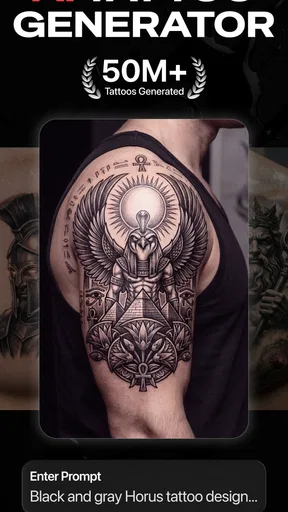
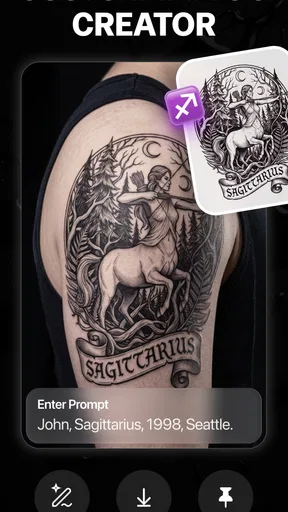
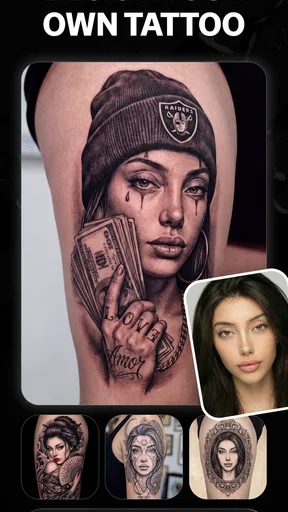
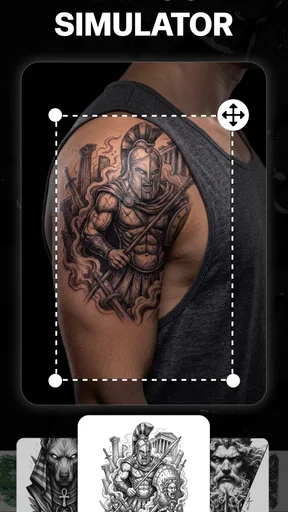
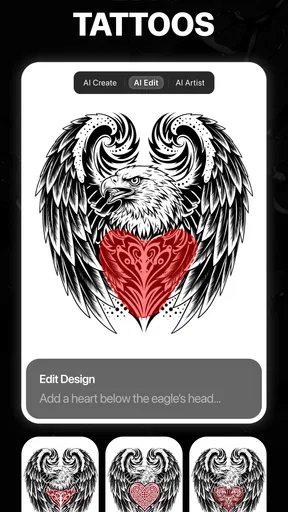
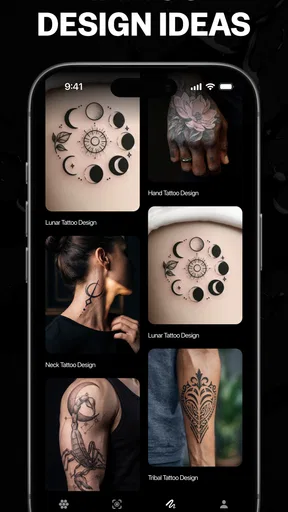
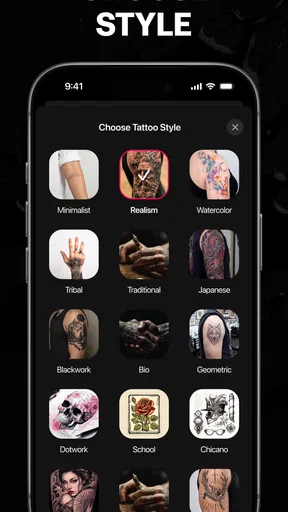
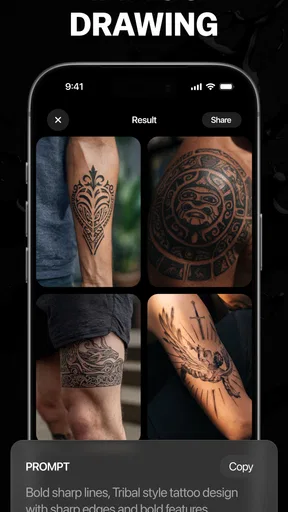
 Analysis by AppCompare
When I’m considering a tattoo, the hardest part is often turning a vague idea into something I can actually discuss with an artist. Tattoo AI - Tattoo Design is aimed at that early, exploratory stage: it gives you a way to play with visual ideas on your phone before making a real commitment. I find that most useful when I have a theme in mind but no clear picture of the style, placement, or details yet.
A free starting point, with paid purchases to weigh
The app is free to download, so you can try it without paying up front. It also offers in-app purchases ranging from $5.99 to $99.99 per item, which is a wide span. I’d treat the free access as a chance to see whether its creative approach suits you, rather than assuming that every tool or design is included at no cost. Before paying, I’d check what a particular purchase unlocks and whether it fits the way I plan to use the app.
That distinction matters because tattoo inspiration is easy to find elsewhere. Images, sketchbooks, and conversations with an artist can all help shape an idea, and they may be enough if you already know what you want. This app’s potential value is in making experimentation feel immediate: you can explore a concept, compare visual directions, and prepare a clearer starting point for a later conversation. Whether that convenience is worth a purchase depends on how much you use those creative options.
Useful for exploring, not a substitute for an artist
I’d use AI-generated concepts as prompts, not as finished tattoo instructions. A design that looks striking on a screen may need changes to suit a body’s shape, the intended size, or the practical limits of tattooing. Fine details can become hard to read when scaled down, while a composition that looks balanced in a flat image may feel different on a curved area of skin. Taking a saved idea to a professional and asking what needs simplifying is a much safer next step than treating a preview as a final stencil.
A helpful way to get more from the app is to begin with a short, specific brief. Instead of asking for “a meaningful tattoo,” I’d write down the subject, mood, and one or two visual details that matter most, then compare the results. I’d also save alternatives rather than attaching myself to the first appealing image. That makes it easier to tell an artist what I like about an idea—perhaps its shape or atmosphere—even if the final design changes considerably.
Who is likely to get value from it?
This is best suited to curious first-timers, people collecting references, and anyone who enjoys testing different visual directions before booking a consultation. It may also help someone who has a few separate ideas and wants to see whether they can be brought into one coherent concept. If you already have a precise design and simply need a tattoo appointment, the extra exploration may not add much. Likewise, if you want a bespoke, technically refined piece, working directly with an artist is the better route.
One everyday use is planning around a meaningful occasion without rushing into a permanent choice. I might open the app during a quiet evening, try several interpretations of a symbol I’ve been thinking about, and keep the versions that feel closest to my taste. A day or two later, I could look again with fresh eyes and show a small selection to an artist. That pause is valuable: it turns an impulse into a more considered brief, while leaving the decisions about fit, detail, and execution to a human professional.
Worth Reading Before You Choose

Flipboard Shows What News Apps Must Do Beyond the Feed

Switching to Android Auto Means Rethinking Your Driving Routine

Google Calendar Makes a Crowded Week Easier to Manage

Ludo King Makes the Most of the Minutes Between Plans

Baby Panda World Brings Quick Play to Modern Phones, but Its Game Library Feels Busy

ESPN’s Live Game View Makes Following Close Games Easier
First Impressions
Right off the bat, Tattoo AI - Tattoo Design has a sleek and user-friendly interface. It’s intuitive enough that even if you’re not tech-savvy, you’ll feel right at home. The app opens up a world of design possibilities, making it feel like you’ve got a tattoo artist right in your pocket.
Exploring Features
The first thing I did was dive into the design library. It’s packed with categories, from tribal to floral and beyond. What’s super cool is the AI-powered design suggestion feature. You input a few preferences, and voilà, it churns out ideas that feel personalized. I spent hours just swiping through designs, saving my favorites for later.
The app also lets you customize designs. You can tweak colors, adjust sizes, and even layer different elements to create something truly unique. It’s like having a digital tattoo studio on your phone. And for someone like me who loves to tweak and perfect details, it was a blast.
Trying It On
One of the standout features is the virtual try-on. Using augmented reality, you can see how a tattoo will look on your skin. I had a lot of fun testing out designs on various parts of my body. It’s a great way to avoid any post-tattoo regrets. Plus, it’s just plain fun to see how different designs look in real-time.
I’d still treat that preview as a rough visual aid rather than a promise of how a real tattoo will sit or age. Try comparing the same design in more than one position and at a realistic size; a placement that looks balanced from one angle may not work as well when your arm or leg moves. For a useful reference, keep the mock-up alongside the original design and note the area you had in mind. An artist can then judge proportions and redraw the concept for the body, rather than relying on a phone preview as a template.
Community and Sharing
Another aspect I loved is the community integration. You can share your designs and get feedback from other users. It creates a community vibe where tattoo enthusiasts can exchange ideas and inspirations. Also, if you find a design you love, you can easily share it with friends or your tattoo artist to get their take on it.
When I share an idea, I’d ask for specific feedback instead of a simple yes or no: does the main shape read clearly, is the placement too crowded, or does one variation feel more personal? That kind of response is easier to use when refining a concept. I’d also separate inspiration from a final decision. A popular design can still be the wrong fit for me, and a friend’s reaction is not a substitute for an artist’s advice about translating it into a tattoo.
How it compares with other ways to plan a tattoo
Compared with browsing image collections, the appeal here is the chance to generate and adjust ideas rather than only collect existing references. A sketchbook gives me more control over a rough drawing, but it takes time and confidence to make the image readable. A consultation with an artist offers the most relevant guidance on originality, placement, and tattooability, though it is a different kind of step from casually experimenting on a phone. I see this app as a bridge between inspiration and that conversation, not as a replacement for either source.
There are trade-offs. Generated concepts can feel generic or miss the personal meaning behind a request, so I would not assume that an AI result is unique simply because it was created from my preferences. Customization can help me explore variations, but it does not guarantee that every combination will look cohesive. I’d keep the strongest idea, identify what I want changed, and let an artist turn that into a design with a deliberate composition.
What I’d check before spending
The app is in the art and design category, comes from HubX, and is free to download. Its average rating is 4.4 from around 268,000 ratings, with about 2,000 written reviews and over 5 million installs. It is rated Teen, and version 1.6.2 requires Android 7.0 or later. Those figures help place it as an established option, but they don’t tell me whether a paid item is worthwhile for my own needs; I’d judge that by the particular feature or access it offers.
Because the purchase range runs from $5.99 to $99.99 per item, I would avoid buying anything just to keep exploring unless I already know what it adds. First I’d test the free experience, see whether the design workflow suits me, and decide whether I need more than casual idea generation. If I only want a handful of references for an artist, free access or ordinary image searches may be enough. If I expect to return to the app repeatedly and a purchase clearly supports that use, paying may make more sense.
Making the decision
I’d recommend giving it a try if you enjoy visual brainstorming and want a low-pressure way to compare tattoo concepts before speaking with an artist. It can be especially handy when you have a theme but need help expressing it, or when you want to test how a design might look in a particular area. I’d skip it if you expect a finished, original tattoo ready to take straight to a studio, or if you already have a clear design and prefer to work directly with a professional.
Final Thoughts
Overall, Tattoo AI - Tattoo Design is an app that delivers exactly what it promises. It’s a must-have for anyone considering a tattoo or just looking to explore creative designs. The combination of AI technology and user-friendly features makes it a standout in the tattoo design space. I’d recommend giving it a try if you’re ready to turn your tattoo dreams into reality.
My recommendation comes with one important caveat: use it to make better questions, not to skip the design process with a tattooist. The strongest value is in exploring, saving, and communicating ideas; the weaker fit is for anyone expecting certainty about the final artwork or a guaranteed bargain from the paid options. Start free, keep a few contrasting concepts, and take the one that still feels right after some time has passed to an artist. That makes the app a useful creative companion, while keeping the permanent decision where it belongs: in a careful conversation about your own design and body.
Pros
- Wide variety of design styles available.
- Intuitive interface for easy navigation.
- High-quality image rendering.
- Customizable tattoo templates.
- Regular updates with new features.
Cons
- Limited free design options.
- No offline access to designs.
- Requires account creation to save.
- In-app ads can be intrusive.
- Some features need premium access.
FAQs for Tattoo AI - Tattoo Design
What is Tattoo AI - Tattoo Design and how does it work?
Tattoo AI - Tattoo Design is an innovative app that uses artificial intelligence to help users create unique tattoo designs. By inputting your preferences and style choices, the AI generates personalized tattoo ideas. Users can then refine and customize these designs to better match their vision before considering them for their next ink session.
Is Tattoo AI - Tattoo Design free to use?
Tattoo AI - Tattoo Design offers both free and premium features. The basic version allows users to explore and create simple designs, while a subscription unlocks advanced customization options, access to exclusive templates, and ad-free usage. Pricing details and subscription plans can be found within the app.
Can I use Tattoo AI - Tattoo Design to design tattoos for commercial use?
The app is primarily intended for personal use and inspiration. If you plan to use designs for commercial purposes, it’s recommended to consult with a professional tattoo artist. They can help refine the design to ensure it meets the necessary quality and copyright standards for commercial use.
How accurate are the designs generated by Tattoo AI - Tattoo Design?
The app uses advanced AI algorithms to generate designs based on user input, making them highly personalized. However, the artistic quality may vary, and it's always advisable to consult with a professional tattoo artist to finalize any design. The app serves as a creative tool rather than a replacement for professional design services.
Is Tattoo AI - Tattoo Design available on both Android and iOS?
Yes, Tattoo AI - Tattoo Design is available for download on both Android and iOS platforms. Users can find it on the Google Play Store and Apple App Store. Ensure your device meets the necessary system requirements for optimal performance and user experience.


